Online ordering that gives your team time back.
Let customers choose, order and pay from their phones. Your team receives a paid order with the details in writing, ready to prepare. Less time taking orders. More time serving them.

From your link to a paid order.

Open your ordering link
Your menu opens in their browser. No app download needed.
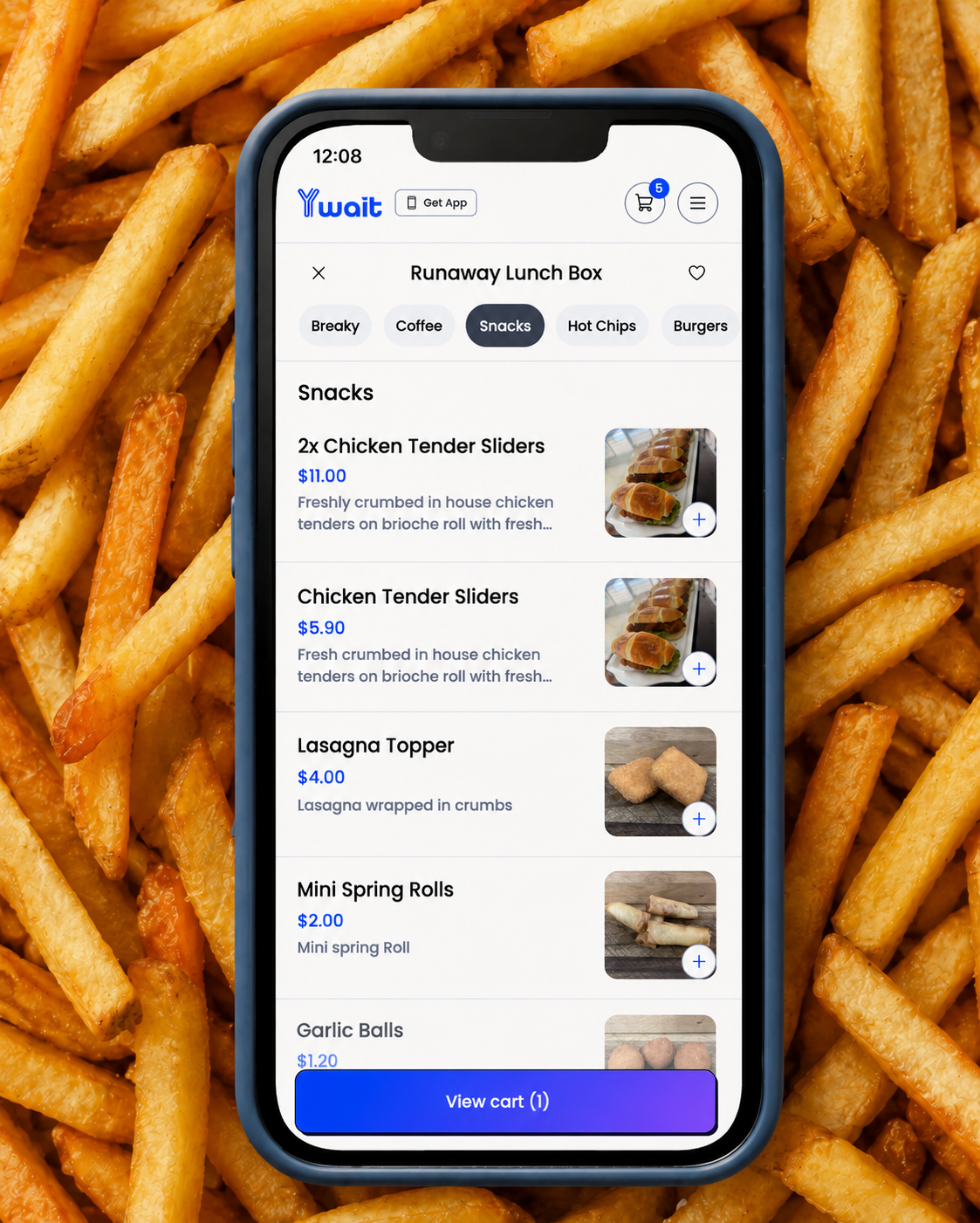
Choose and pay
They choose items and extras, add notes and pay online.
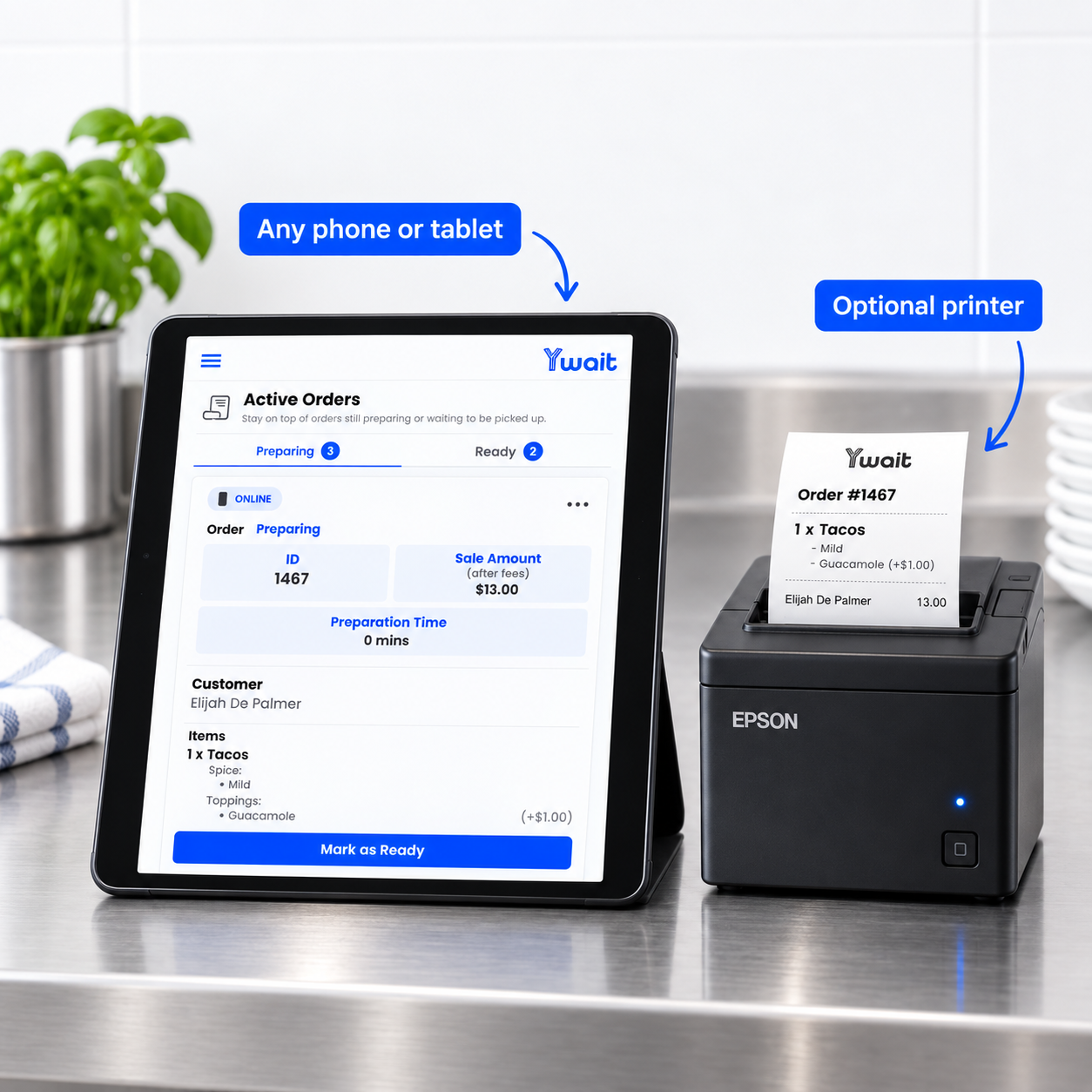
Receive the paid order
It arrives in Ywait Admin or your connected Square POS, ready to prepare.

Be ready to take an order wherever customers find you.
From your socials
Add your ordering link to Instagram, Facebook or TikTok. Customers can go from seeing your food to ordering it.
From Google Search
Add your link to your Google Business Profile so people searching for your business can open your menu and order.
From Google Maps
The same Business Profile gives customers a way to order when they find your location on Google Maps.
Already have a website? Add an order button using the same link.

Start preparing before they arrive.
A customer orders from work before their break, or from home before heading out. Their order arrives in Ywait Admin while they’re still on the way.
Your team can start preparing sooner. Customers collect an order they’ve already chosen and paid for.
See how an order worksMake the extras easy to choose.
A larger size, an extra filling or a drink to go with their food. Put the choices on your menu so customers can build the order they want, without your team talking through every option.
They review their items and add any notes before paying. Your team gets the choices in writing, ready to prepare.


From one item to an order for everyone.
A quick snack, a few drinks, fresh baking or lunch for a group. Build your menu around what you sell, with the sizes, extras and choices your customers need.
Whether a customer buys one item or orders for the whole team, it comes through as one paid order for your team to prepare.
Get startedTake online orders on your terms.
Busy? Pause ordering.
Give your team time to catch up. You can pause online ordering when you need to.
Sold out? Keep your menu up to date.
Track stock and mark items sold out, so customers can see what’s available before they order.
Send a ready text.
Mark an order ready when it’s prepared, and Ywait sends the customer a text to collect.


No new hardware or POS needed.
Use your phone or tablet
Use the Ywait Admin app to run your storefront, menu and orders on an iPhone, iPad or Android device you already own.
Need a printer?
You can connect a printer to the Ywait Admin app via USB, bluetooth or Wi-Fi to automatically print dockets.
You don’t have to set it all up yourself.
We can help with your menu, payments and first orders, then show you how to share your ordering link.
Free setup and ongoing Australian support are included on every plan.
Try it with your business
Your Storefront on Ywait starts at $15/month, with one month free. No lock-in contract. Cancel anytime.
Frequently asked questions.
Send us a message and one of our team members will get back to you ASAP.
Can I use my existing website?
Yes. We can help you keep your existing website and connect it to Ywait, or redirect customers to your Ywait storefront, custom site or app.
Explore branded sites & appsCan customers order ahead for a chosen pickup time?
Yes. Offer ASAP orders or allow preorders up to a week in advance if that suits your business.
Can customers select sizes, extras and notes online?
Yes. Add variations and extras to your menu. Their selections and order notes arrive with the paid order so your team can prepare it.
Is Ywait online ordering for pickup or delivery?
Ywait supports pickup ordering. If you have your own delivery drivers, get in touch and we can help you take delivery orders too.
What if we get too busy?
You can pause ordering when your team needs to catch up. Track stock and mark items sold out so customers can see what’s available.
How do customers pay?
Customers can pay online with a card, Apple Pay or Google Pay. Payments are processed through Stripe or your connected Square account.
View plans and transaction feesDo I need a new POS or printer?
No. You can manage orders in the Ywait Admin app on an iPhone, iPad or Android device. Connect a compatible printer if you want printed dockets, or connect Square to manage orders on your Square POS.
What does it cost, and am I locked in?
Your Storefront on Ywait is $15/month, with one month free and no lock-in contract. Custom Site is $49/month and the Custom Site & App Bundle is $89/month; the free month applies only to the Storefront plan. Transaction fees apply. You can compare the plans and fee details on our pricing page, and cancel any time.
View pricing and feesMore ways to make ordering work for you.
QR Code Ordering
The same online ordering experience also powers QR code ordering. Customers scan to open your menu. Explore QR ordering
Loyalty & Rewards
Give customers another reason to return, with loyalty stamps and rewards you choose. Explore loyalty
Branded Site & Apps
Put online ordering on your own domain, or give customers your own branded mobile app. Explore branded sites & apps
POS Integrations
Connect Square to sync your menu and manage Ywait orders on your Square POS and printer. Explore POS integrations